
Laser Type
Laser Types are used to categorize the tested lasers. They are each associated with one specific Laser Mount Type. Each laser will have to be assigned a Laser Type for categorization.
Workflows
Section titled “Workflows”*️⃣ Creating a Laser Type
Section titled “*️⃣ Creating a Laser Type”- Navigate to the
Configuration > Laser Typesview on the left sidebar - Click the
+Button in the top-right corner - The
Create Laser Typedialog should now be open
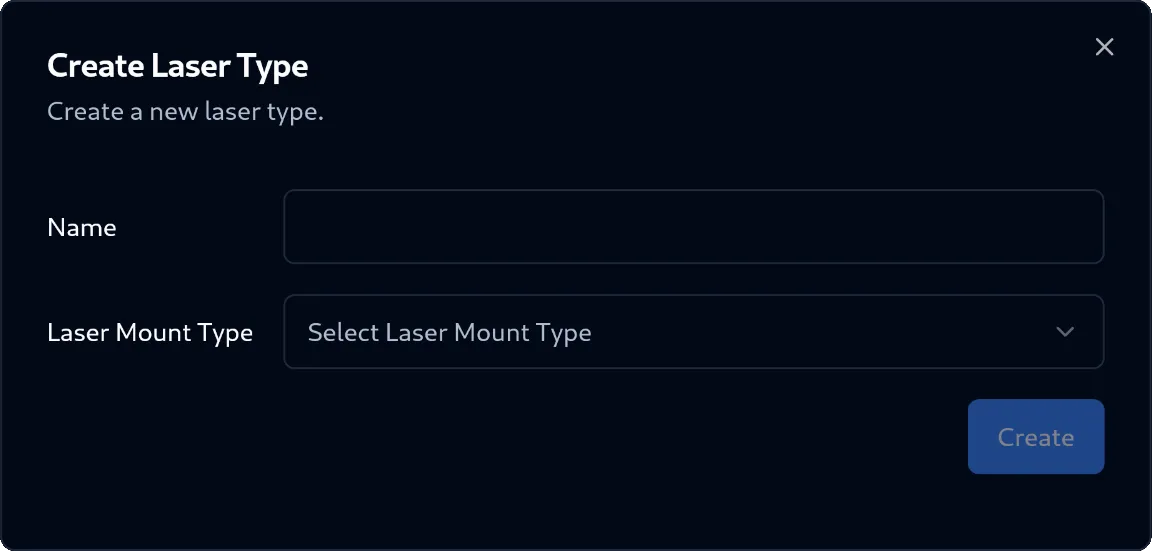
- In the dialog, fill out the required input fields:
- Name:
Text(required) - Laser Mount Type:
Selection(required) - Laser Power Correction Factor:
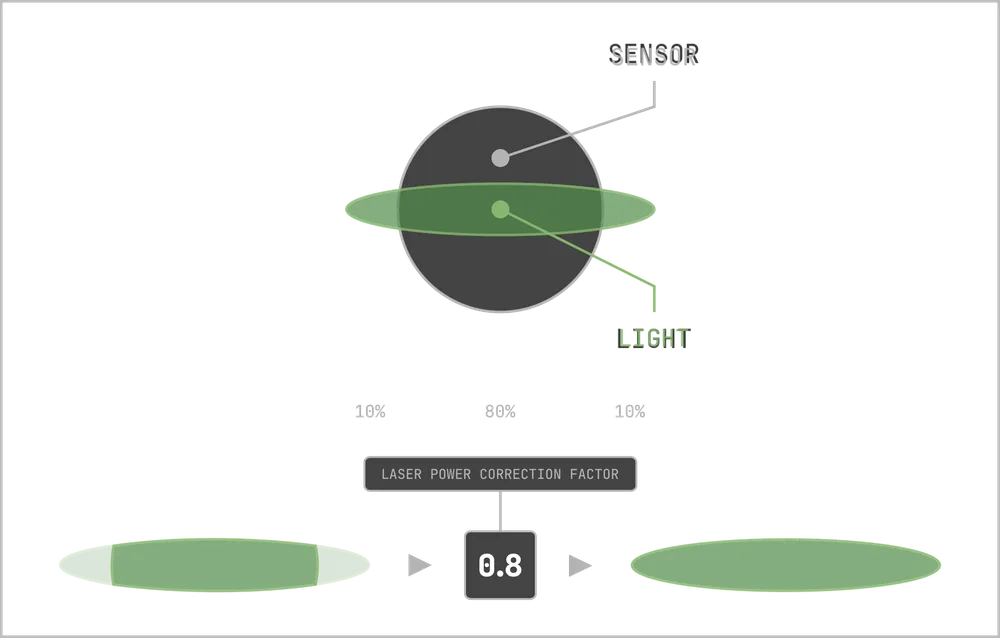
Number(required, default=1.0)- This factor is used to geometrically correct the laser power measurement
- Depending on the laser, the photo-power sensor might be too small to capture all emitted light
- This correction factor should be set to the ratio of the light actually arriving at the sensor
- This way the total adjusted power can be computed accurately
- Find below a diagram illustrating the correction factor:
- Name:
- Click on the
Createbutton in the bottom-right corner of the dialog - The Laser Type was successfully created