
Getting Started
Configuration Workflow
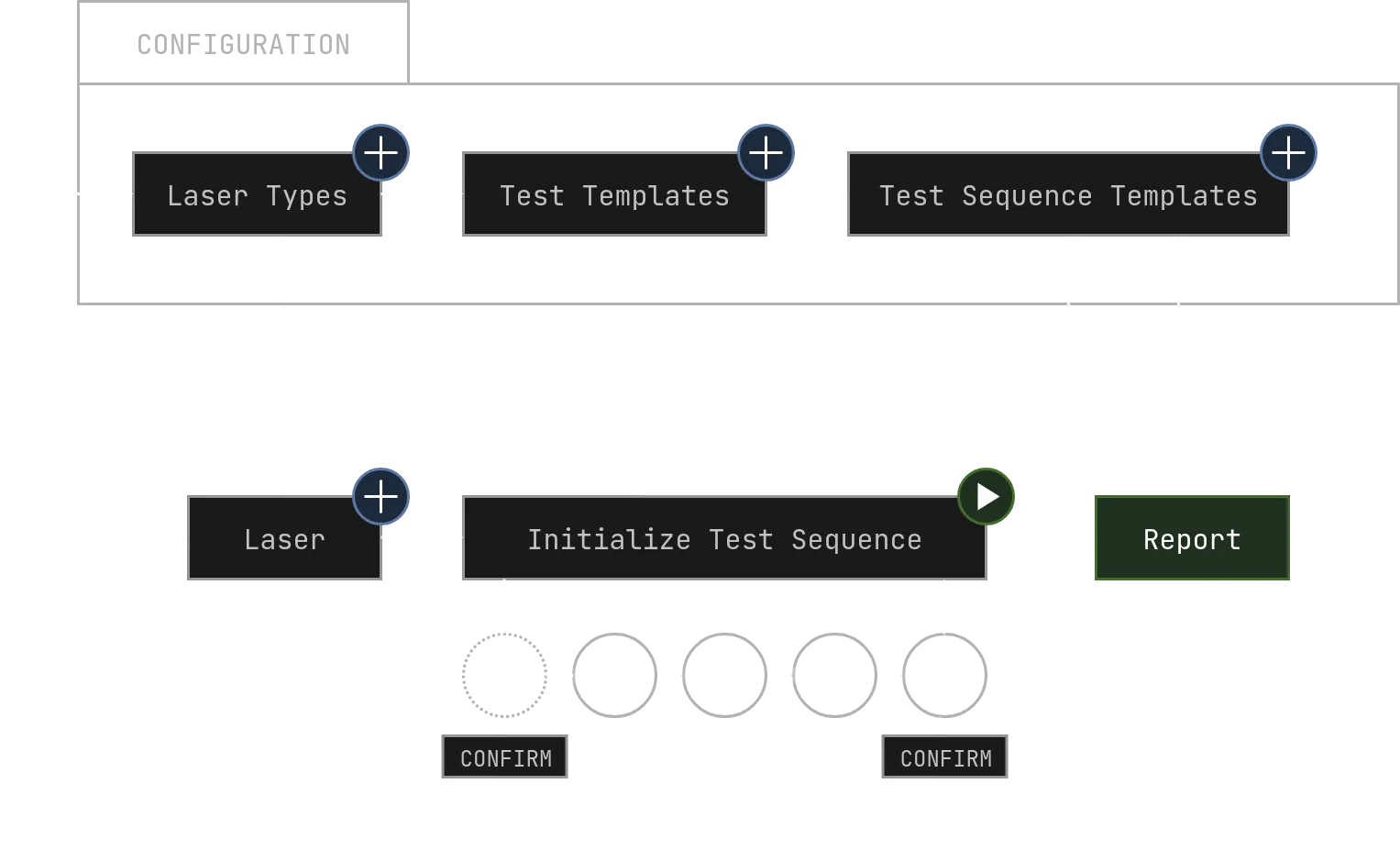
Section titled “Configuration Workflow”To get started using Test Rack UI you once have to set up a testing configuration.
- Use the *️⃣ Creating a Laser Type workflow to set up all required Laser Types
- Use the *️⃣ Creating a Test Template workflow to set up all required Test Templates
- It is required you set up at least one Test Template of each Type
Burn-InRampSpectrum
- It is required you set up at least one Test Template of each Type
- Use the *️⃣ Creating a Test Sequence Template workflow to set up all required Test Sequence Templates
Testing Workflow
Section titled “Testing Workflow”With these steps completed, you can now start running tests with Test Rack UI. The workflow for running these Test Sequences on the DUTs (Lasers) is outlined below.
- Use the *️⃣ Creating a Laser workflow to register the DUT in Test Rack UI
- Use the ▶️ Starting a Test Sequence Template workflow to initialize and start the Test Sequence
- Navigate to
Application > Runningin the left sidebar - Select the just now created Test Sequence in the left table view
- (Optional) If your Test Sequence Template starts with a
SpectrumTest Template:- Use the ⚠️ Confirming Spectrometer workflow to start that test
- Monitor the progress of the Test Sequence in the right detail view
- Use the ⚠️ Confirming Spectrometer workflow to start the final
Spectrumtest of the Test Sequence - You can now view the report of the Test Sequence by clicking on the report button in the top-right of the detail view